Online Services
How to create online services and control which services are visible on your booking page
Online Services lets you control exactly which services appear on your salon's public booking page. You can create dedicated online-only services with their own pricing, and toggle visibility for any service at any time.
Click Online Services in the left menu to get started.
Creating an online service
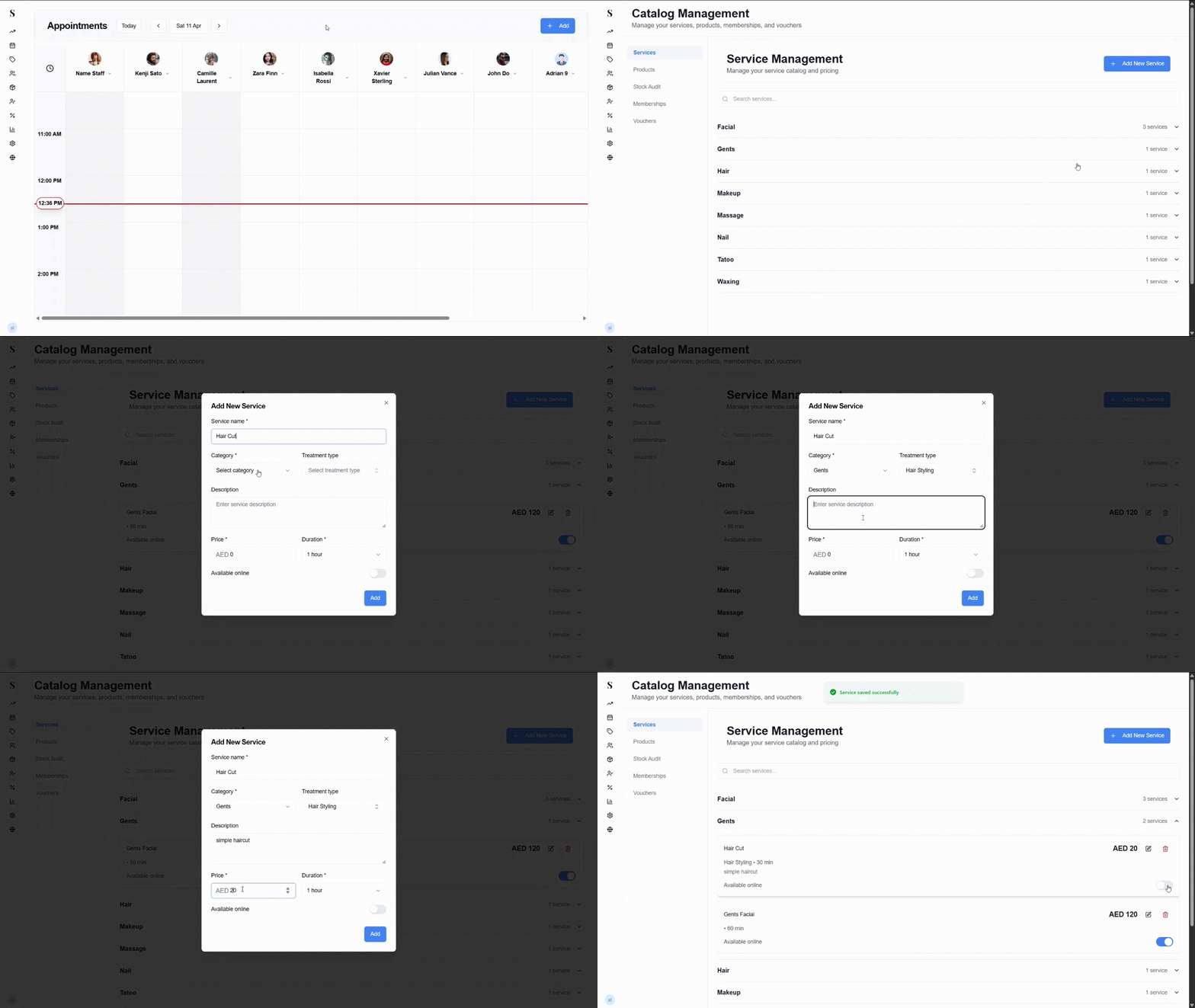
Online services are separate listings from your internal catalog — they're what clients see and select when booking through your website.
Go to Online Services and click Add Service.
Give the service a name and choose a category to group it correctly on the booking page.
Set the duration and price that clients will see.
Click Save to publish it to your booking page.
Checking which services are visible online
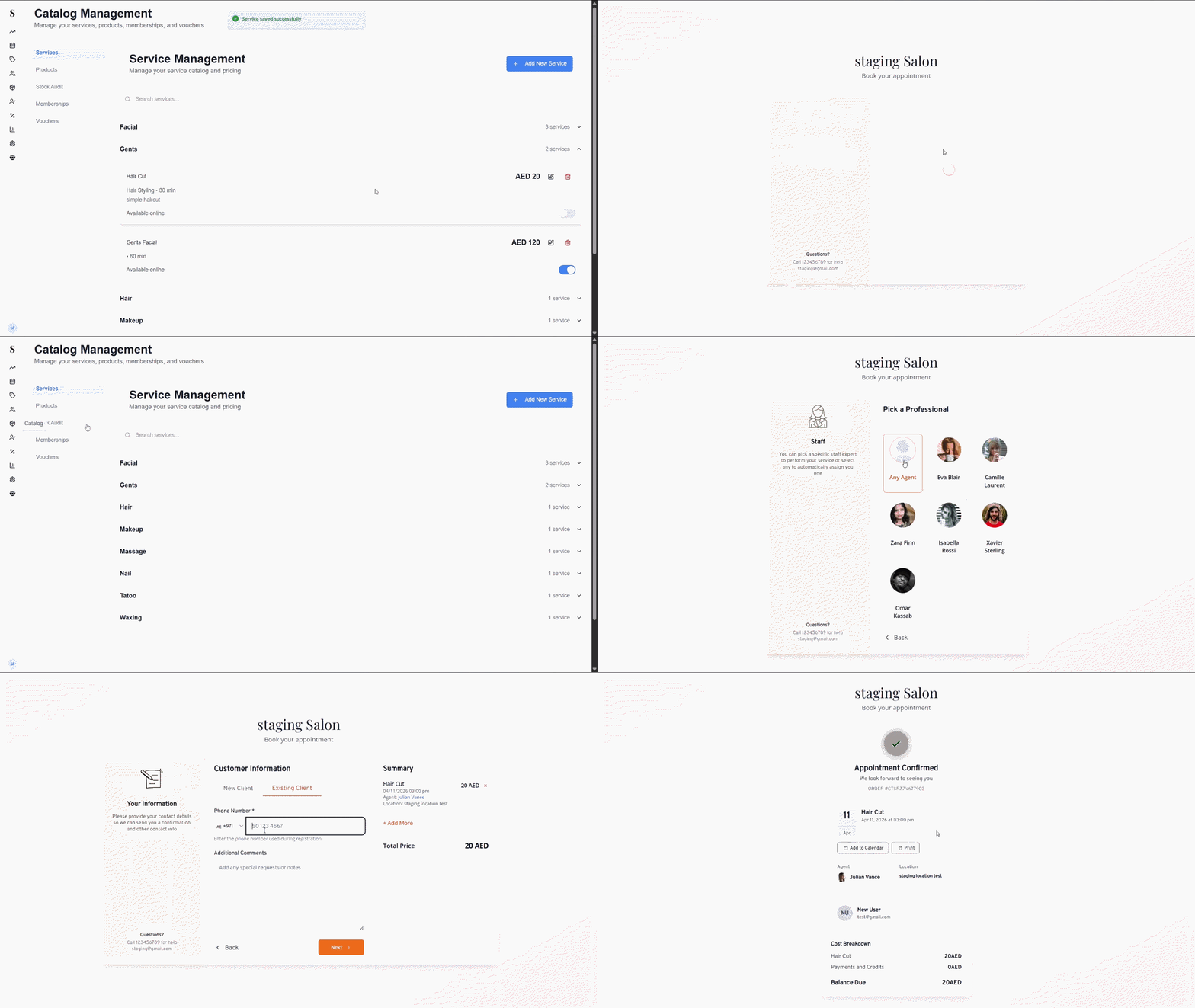
You can review and control which services are currently showing on your booking page at any time.
Go to Online Services to see the full list of your services and their online visibility status.
Use the toggle next to each service to turn it on or off on the booking page.
Changes take effect immediately — no need to save separately.
Only services with their toggle set to active will appear when clients visit your booking page. If a service isn't showing up online, check that it's toggled on here.
Setting which team members are visible online
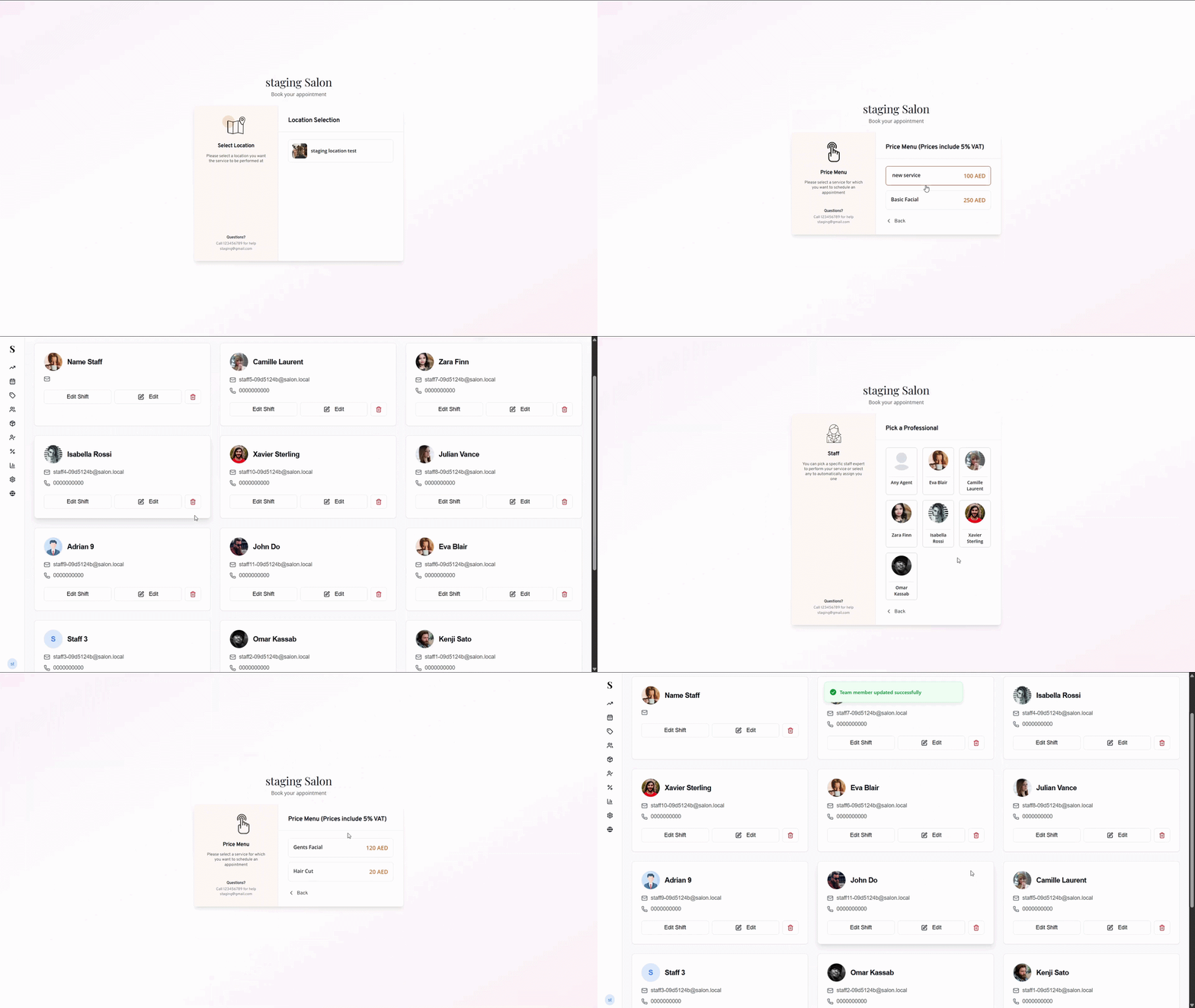
You can control which team members appear on your booking page, and which services each team member is bookable for.
Go to the Team Members page and open the team member you want to configure.
Under Category Permissions, you'll see a toggle for each service category (e.g. Hair, Massage, Nail). Turn a category on to allow clients to book that team member for services in that category online. Turn it off to hide them from that category on the booking page.
Make sure Visible to Clients is toggled on — this controls whether the team member appears on the booking page at all. If this is off, they won't show up regardless of the category settings.
Click Save Changes to apply.
A team member will only appear for a service online if both their Visible to Clients toggle is on and the relevant Category Permission is enabled. If a team member isn't showing up for a specific service, check both settings.